
Vouchers
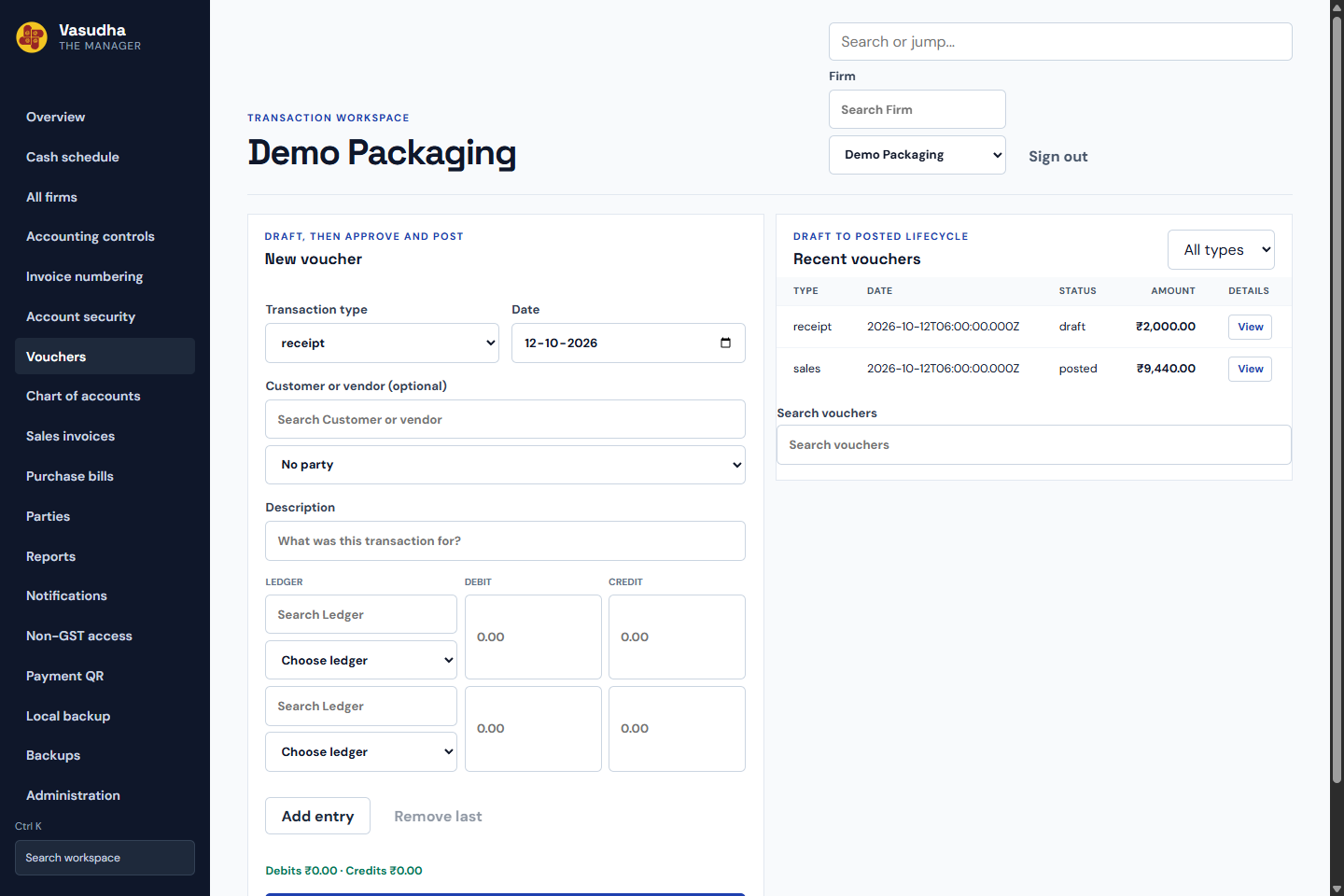
Create balanced drafts, review approvals and post entries with a preserved audit trail.
ONE WORKSPACE. EVERY FIRM.
Vasudha The Manager brings entries, invoices and outstanding bills into one practical workspace for owners, accountants and their teams.
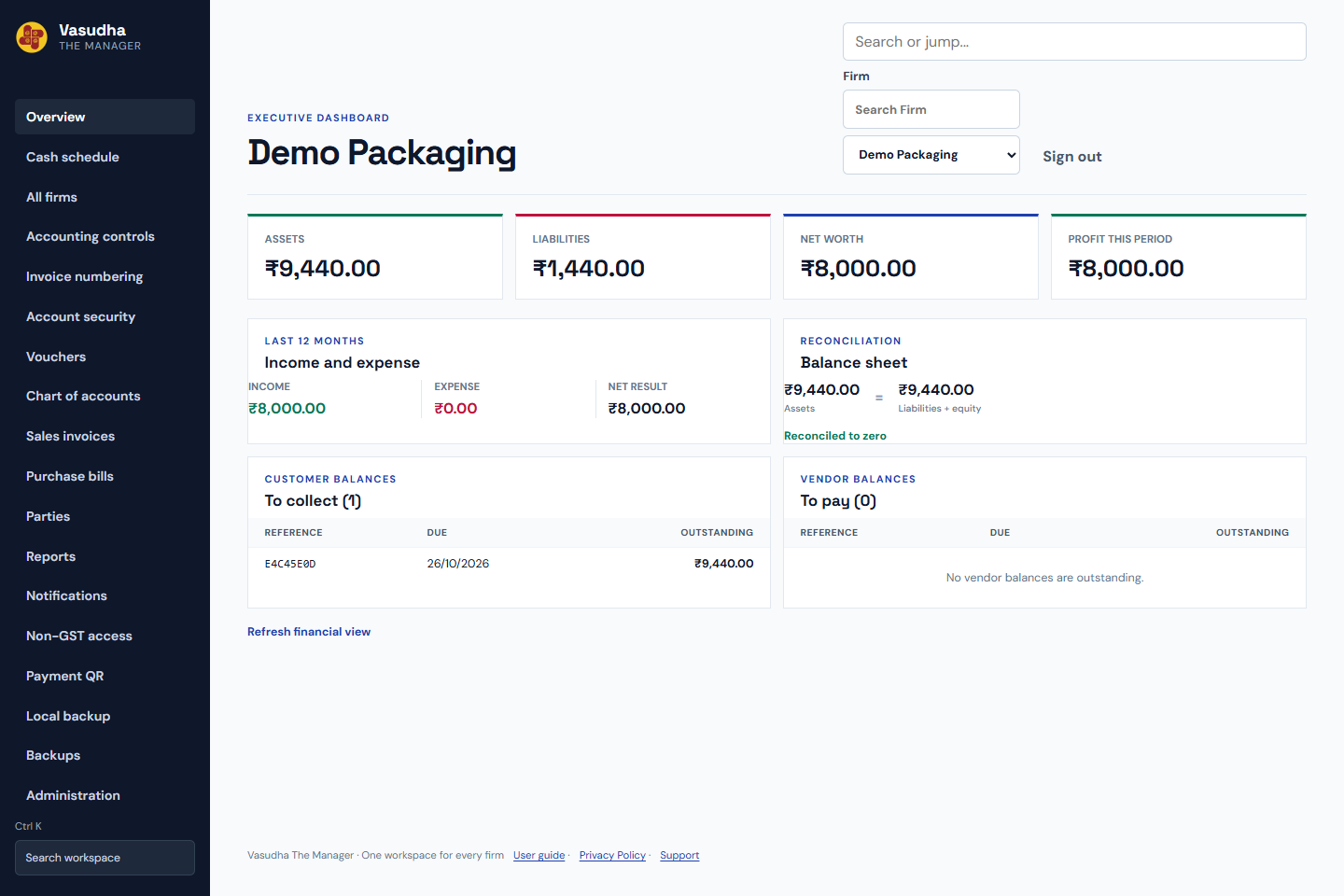
Every figure has a context.
Choose a firm, check the period, inspect the entries.
Built for the people who keep a business moving.
WHY VASUDHA
Registers, spreadsheets and disconnected files make it hard to know what has been entered, approved or collected. Vasudha keeps those steps connected.
Work from a selected firm, record the right entry and follow its status. See unpaid bills alongside reports, with permissions that match each person’s responsibilities.
Developed by Eklavya Jha, Vasudha is a focused business workspace. It supports the review process; your team remains responsible for the accuracy of entries and filing decisions.
More about the application →THE WORKSPACE
From the first draft to the report you share, keep the work in one place.
Create balanced drafts, review approvals and post entries with a preserved audit trail.
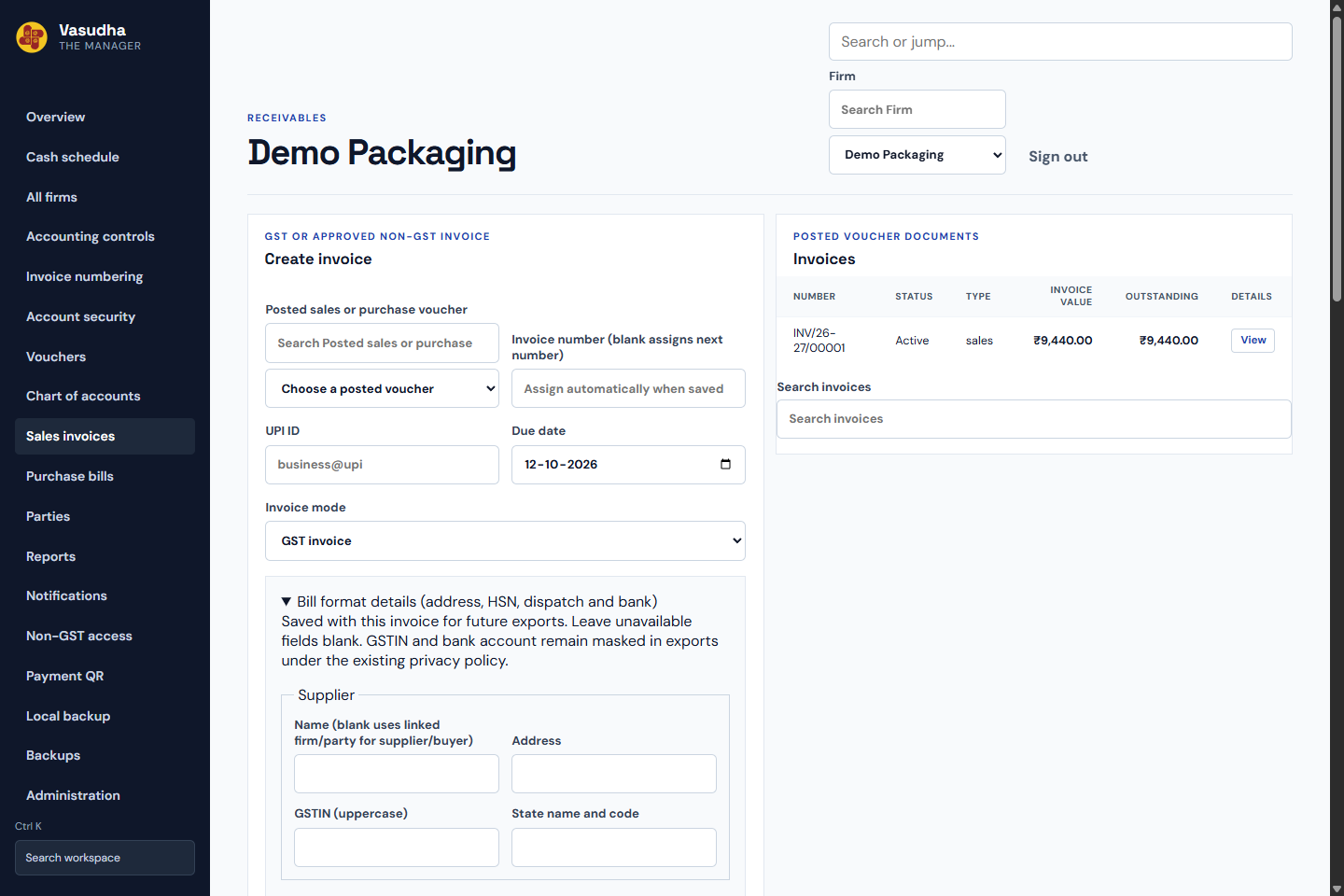
Create sales and purchase invoices with item details, GST and downloadable formats.
See outstanding bills, allocate receipts and keep payment follow-up history.
Read trial balance, profit and loss, balance sheet and the entries behind their figures.
Switch between allowed firms while keeping their records and permissions separate.
Assign roles and permissions; invite members and activate their access deliberately.
Download supported backups and review imported data before confirming a merge.
Manage closed months, recurring drafts, bank matching and paired firm transfers.
HOW IT WORKS
Use your password and complete the required verification.
Select the business you have permission to work with.
Create an entry and follow its approval and posting flow.
Check outstanding bills and reports for the right period.
SECURITY & DATA
Clear controls around the people, records and decisions in your workspace.
Email verification at sign-in, optional authenticator MFA and account session controls.
Active membership and role permissions govern access. Sensitive fields receive encryption and masking where implemented.
Balanced entries, exact money handling and append-only audit records support review. Backups need a verified restore procedure.
Your firm owns its business records. The public Privacy Policy explains hosting, email delivery and retention.
SEE THE FLOW
Public guides show the real interface with fictional data.
COMMON QUESTIONS
Access depends on active firm membership and permissions. Owners control which sections and actions each role can use. A registered account alone does not grant firm access.
Select Forgot password on the login screen, request an email code and set a new password. Lost-authenticator recovery is a separate option.
Authenticator MFA is optional. Email verification is part of sign-in. Eligible accounts can remember a verified private browser for four months; a fresh sign-in still requires the password.
Financial actions wait for server confirmation. Read the status and audit history before retrying a payment or assuming a bill is settled.
The firm retains ownership of its business records. Authorized users can export reports and supported backups. Restoring history requires review; some adjustment and paired-transfer imports are restricted. Keep recovery material separately and verify restore compatibility.
The workspace has responsive forms and navigation. Wide accounting tables scroll horizontally. Use the same website address and browser profile for remembered access.